
Best financial dashboard tools for consultants: Xero 2026
Best overall: Xero for consultants who want accounting records and a financial overview in one place. Best for invoice-led work: FreshBooks. Best for a custom view built around your existing records: Google Sheets. This 2026 guide compares what each tool shows, what you still need to maintain, and when the problem is your workflow rather than your dashboard.
TL;DR
Among the best financial dashboard tools for consultants, Xero is the default for accounting and a financial overview.
FreshBooks fits invoice-led work; Google Sheets fits consultants who need a custom view and can maintain it.
A dashboard cannot fix invoices, payments, or expenses that never reach the underlying records.
Tendedsprout helps consultants connect financial visibility to the work that produces those numbers.
Why this matters
A dashboard is useful only when you trust the work behind it. If an invoice lives in one tool, its payment status lives somewhere else, and expenses are entered later, a neat chart still leaves you checking each source before you make a decision.
For a related choice, see this guide to invoicing tools for freelance consultants. Your invoicing process determines much of the information a financial dashboard can display without extra manual work.
In 2026, the useful question is not which screen has the most charts. It is whether you can answer practical questions from records you keep current: Which invoices remain open? What has been paid? Which expenses have been recorded? Can you trace a figure back to its source? Choose the workflow first, then the dashboard that reflects it.
Consider an illustrative workflow, not a client result: Invoice sent leads to Payment recorded, then Dashboard updated, then Decision made. If payment recording happens outside the system your dashboard reads, the sequence breaks. You either correct the source or accept that the view is incomplete.
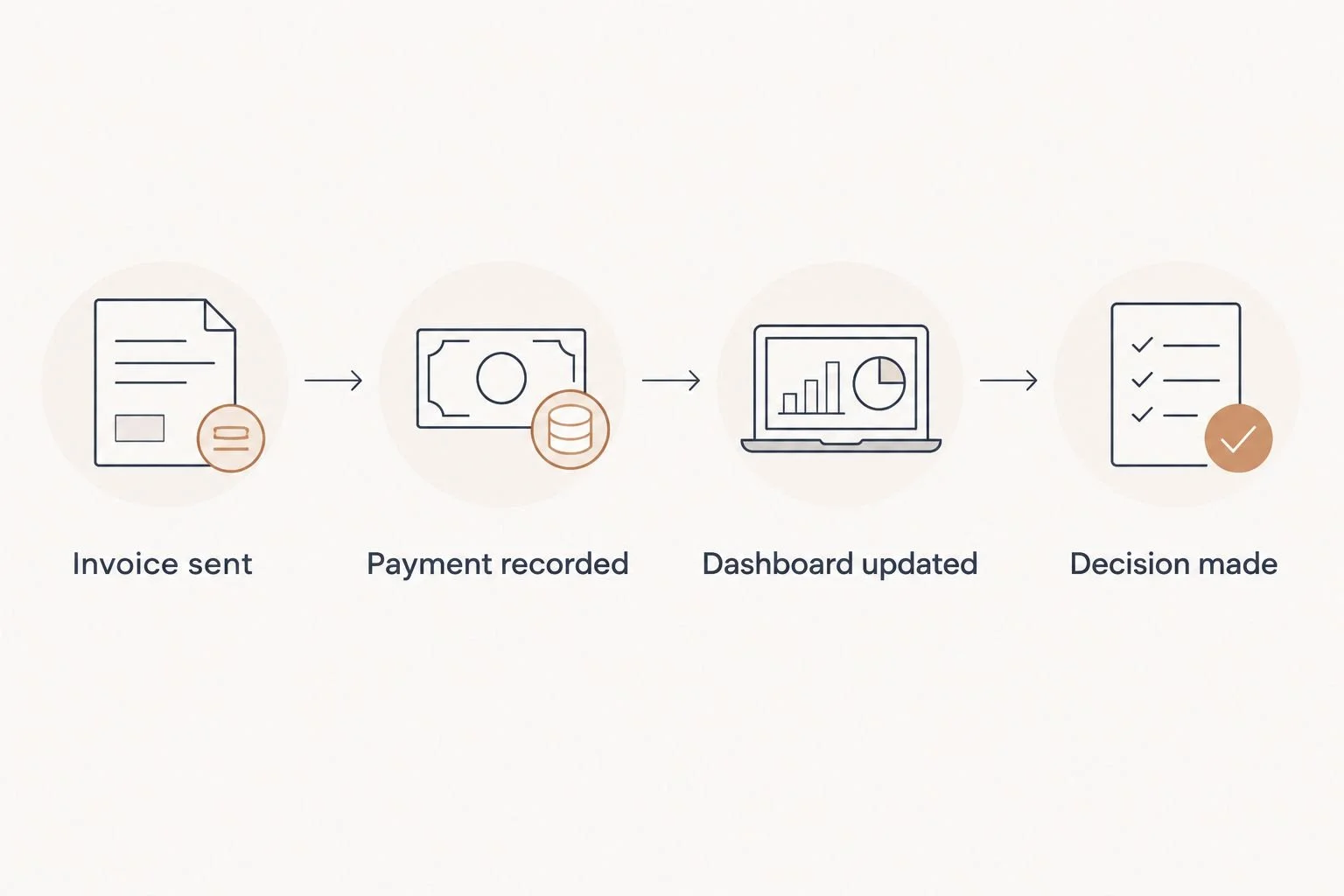
The dashboard reflects the process that feeds it, not the work you meant to record.
What makes the best financial dashboard tool for consultants?
Use these criteria before judging a screenshot. The best choice depends on where your financial records live and who keeps them accurate.
Reliable source records. Can you see the invoices, payments, and expenses behind a summary? A figure you cannot check is hard to act on.
Fit with your current tools. Replacing a working invoicing or accounting process creates more work. Start with the system your business already uses.
Clear unpaid-invoice view. For client work, an outstanding invoice needs to be easy to find and follow up.
Useful level of detail. Decide whether you need an accounting overview, a view of client billing, or charts across several sources. These are different jobs.
Manageable upkeep. A custom report takes care to set up and maintain. A built-in overview asks less of you but gives you less control over its layout.
This is a workflow ranking, not a claim that every consultant should move their records to the same platform. If someone else maintains your books, include that person in the choice. The dashboard must agree with the records they use, not compete with them.
The best financial dashboard tools for consultants at a glance
Xero
Best for: Accounting and financial overview
Standout feature: Accounting records and reporting in one system
Key limitation: Depends on complete, current entries
FreshBooks
Best for: Invoice-led consulting work
Standout feature: Invoices and related client billing information
Key limitation: Less suitable as a custom cross-tool reporting hub
QuickBooks Online
Best for: Existing QuickBooks bookkeeping
Standout feature: Reports drawn from the accounting record
Key limitation: A report cannot correct inconsistent bookkeeping
Google Sheets
Best for: A hand-built financial view
Standout feature: Flexible layout and calculations
Key limitation: Manual upkeep and checking are your responsibility
Looker Studio
Best for: Visual reports across sources
Standout feature: Configurable charts and report pages
Key limitation: Source connections and definitions need attention
The table is a starting point. Your existing records should decide the shortlist. Moving information into a new dashboard without deciding who updates it merely gives you another place to check.
1. Xero: best financial dashboard tool for an accounting overview
Xero keeps accounting records and financial reporting in the same platform. That makes it the default 2026 choice for a consultant who wants a view based on the books rather than a separate chart assembled from disconnected files. It is most useful when invoices, payments, and expenses are recorded consistently.
Xero pros:
Financial views draw on the underlying accounting records.
You can investigate a summary through the records behind it.
It gives an accountant or bookkeeper a shared source to review.
Xero cons:
Missing or late entries make the overview incomplete.
It does not, by itself, settle who follows up on an invoice or records an expense.
Best for: Consultants who need an accounting overview and are ready to maintain the records that support it. If your bookkeeping already happens elsewhere, compare the disruption of moving it with the value of a new view. Verdict: Buy when the accounting system itself is the home for your financial dashboard.
2. FreshBooks: best financial dashboard tool for invoice-led work
FreshBooks centers much of its day-to-day experience on client billing. For a consultant whose immediate question is what has been billed and what still needs attention, that focus can be more helpful than building a separate reporting layer. The information still depends on keeping invoices and payments current.
FreshBooks pros:
Puts invoicing close to the financial information you check.
Suits a routine built around sending and tracking client bills.
Reduces the need for a separate spreadsheet when billing is your main question.
FreshBooks cons:
It is not a substitute for a tailored report that combines several unrelated business systems.
A payment handled outside your usual recording process can leave you checking another source.
Best for: Consultants who start their financial check-in with client invoices. In 2026, FreshBooks is the stronger fit than a custom chart if you mainly need to know what you billed and what requires follow-up. Verdict: Buy for an invoice-first routine; hold if your central need is cross-tool reporting.
3. QuickBooks Online: best for consultants already keeping books there
QuickBooks Online provides financial reports from the accounting information entered into it. If your books already live there, begin with its existing views before adding another tool. A second dashboard is useful only when it answers a question those views do not answer clearly.
QuickBooks Online pros:
Uses the accounting record already maintained in QuickBooks Online.
Lets you review financial summaries without copying figures into a separate sheet.
Gives your bookkeeper and business owner a common set of records to discuss.
QuickBooks Online cons:
Reports reflect the quality and timing of your entries.
A standard report will not automatically present every business-specific question in your preferred format.
Best for: Consultants whose bookkeeping is already in QuickBooks Online. Do not change accounting tools because another dashboard looks simpler in a screenshot. Verdict: Buy if the current reports answer your questions; hold before adding a separate reporting tool.
4. Google Sheets: best financial dashboard tool for a custom view
Google Sheets lets you arrange figures, formulas, and notes around the questions you actually ask. It works as a flexible view when your records come from established processes and someone can check each update. A sheet is not a replacement for maintaining accurate invoices and accounting records.
Google Sheets pros:
You decide which questions the view answers.
You can keep a plain record of where each figure came from.
The layout can change as your review routine changes.
Google Sheets cons:
Manual copying creates opportunities for stale or inconsistent figures.
Formulas and definitions need an owner who will check them.
Best for: Consultants who need a small, specific view that their existing system does not provide. A useful sheet might distinguish sent invoices from recorded payments, with a note showing the source of each figure. That is an illustration of a layout, not a measured business result. Verdict: Buy only if you have a clear upkeep routine; otherwise, hold.
5. Looker Studio: best for visual reports across sources
Looker Studio turns connected data into configurable report pages. Its strength is presentation: you can organize charts around the questions a consultant reviews regularly. It is a reporting layer, so the quality of the result still depends on how each source is connected and defined.
Looker Studio pros:
Gives you control over the visual arrangement of a report.
Can bring information from supported sources into a shared view.
Helps separate a quick overview from the records used to verify it.
Looker Studio cons:
Setting up and maintaining connections adds work.
Similar-looking figures from different sources can mean different things unless you define them.
Best for: Consultants who already have dependable source records and need a visual layer across them. In 2026, it is a poor first fix for missing payment updates or inconsistent invoice names. Verdict: Hold until the underlying workflow is clear; buy only when the reporting question justifies the extra layer.
How we ranked these tools
This ranking gives priority to source records, fit with existing tools, unpaid-invoice visibility, useful detail, and upkeep. Xero leads for a consultant selecting an accounting home with a financial overview. FreshBooks leads when billing is the daily job. QuickBooks Online ranks as the practical starting point for someone whose books are already there.
Google Sheets and Looker Studio solve different problems. The first gives you a view you define and maintain; the second gives you configurable visual reporting built on connected sources. Neither makes missing records appear. The ranking does not claim hands-on test results or a universal winner for every existing setup.
When a new dashboard is not the next move
Before you add a tool, write down where an invoice starts, where a payment is recorded, and who checks that the two agree. Then do the same for expenses. If you cannot identify the owner of a step, a new dashboard adds a screen without resolving the gap.
Tendedsprout provides done-for-you systems and operations support for established online entrepreneurs and service providers. That is different from hiring an Online Business Manager to take ongoing responsibility for managing business operations. Tendedsprout is the fit when the workflow itself needs to be organized or connected; a dashboard is the fit when the workflow is sound and its information is hard to see.
The distinction matters in 2026 because a reporting problem often starts earlier than the report. If an invoice is sent through one tool and its status is updated by hand elsewhere, decide which record is authoritative and who updates it. Only then choose what the dashboard should display. Tendedsprout focuses on systems already integrated into the business, so this decision does not have to begin with replacing every tool.
Blooming Systems and Tendedsprout's one-day workflow transformation are relevant when you need help with the process around the dashboard, not merely another chart. Start with the Tendedsprout site to assess the service against the work you need done. Keep the question specific: which handoff is causing you to distrust the number on the screen?
Clarify your financial workflow
Identify the handoffs behind the numbers you need to see.
Which financial dashboard tool should you choose?
Choose Xero if you are selecting an accounting home and want the financial overview to come from those records. Choose FreshBooks if invoices drive your daily review. Keep QuickBooks Online on the shortlist first if that is where your books already live. Choose Google Sheets for a defined custom view with a clear owner, or Looker Studio when dependable records need a visual report across sources.
For an undecided consultant in 2026, the default is Xero only if you are also choosing where your accounting records will live. If you already have reliable books, start with the reports in that system instead of moving records for the sake of a dashboard. If the records are not reliable, fix the handoff before choosing any of these tools.
FAQ
What's the best financial dashboard tool for a consultant in 2026?
Xero is the default when you want accounting records and a financial overview in one place. If your books already live in another system, review its existing reports before changing tools.
Is FreshBooks or Xero better for tracking client invoices?
FreshBooks is the stronger pick when your daily financial review starts with client billing. Xero is the pick when you want invoicing considered alongside a broader accounting record.
Should I use QuickBooks Online if my consultant books are already there?
Yes, start with the financial reports in QuickBooks Online if your books are already there. Add another dashboard only after you identify a question those reports cannot answer clearly.
Can Google Sheets replace accounting software for a consultant?
Google Sheets is better treated as a custom view than as a substitute for maintained accounting records. Keep the source of each figure clear and assign someone to check updates.
When does Looker Studio make sense for financial reporting?
Looker Studio makes sense when your source records are dependable and you need a visual report across them. Define each figure and confirm how its source reaches the report before relying on it.
Will a financial dashboard show unpaid invoices automatically?
A dashboard can show unpaid invoices only when its source contains current invoice and payment information. Check where payment status is recorded before choosing the display.
Is done-for-you systems support the same as hiring an Online Business Manager?
No. Tendedsprout's done-for-you systems support focuses on organizing and connecting workflows; an Online Business Manager is hired to manage ongoing operations. Choose based on whether you need the process fixed or its daily management covered.
One last thing
Your most useful 2026 dashboard check happens before you look at a chart: pick a recent invoice and trace it from sending to payment recording to the figure you review. If any handoff is unclear, name its owner and source record first. The right dashboard shows work you can verify.